How I Built a Free Student Certificate Tracker Using Google Sheets
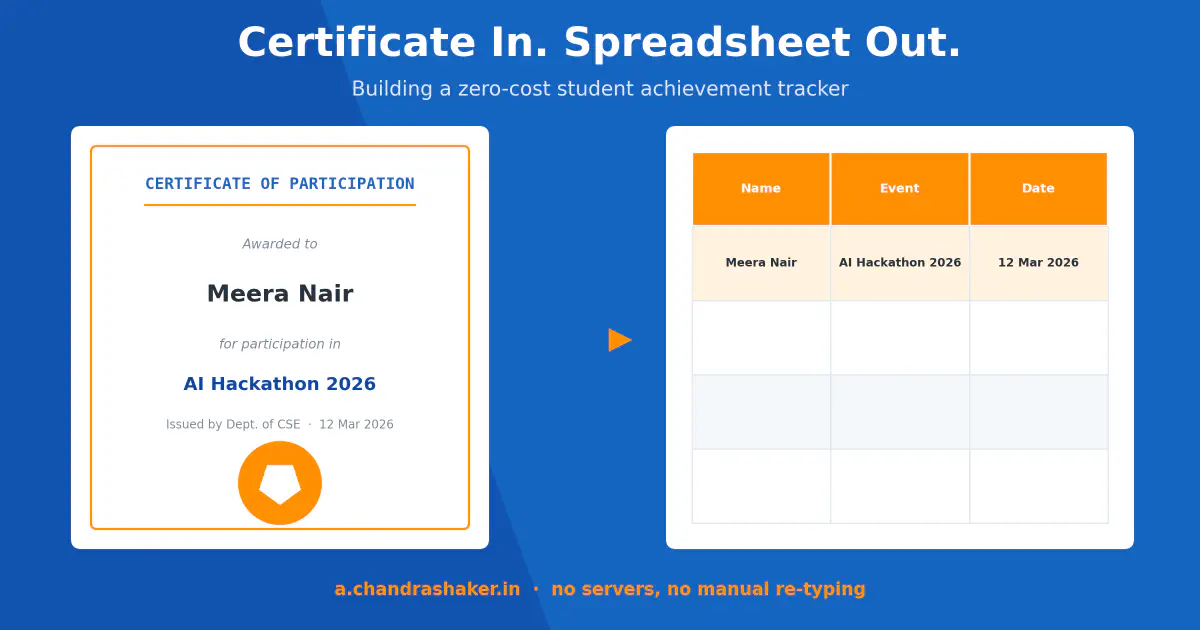
Every semester, students used to submit their certificates for participation in workshops, courses, extracurricular activities, and competition wins through a Google Form, attaching scans, phone photos, or PDFs of the certificate itself. The form answers were never something I could just take and directly submit as a report. Students picked the wrong certificate type, mislabeled the category, or got the event name wrong, so I ended up opening every attachment or hard copy of the certificate myself and checking it against what was submitted, certificate by certificate. That manual verification alone used to take 1-2 months each cycle.
This project exists to close that gap. Meet the Student Achievement Tracker, live at a.chandrashaker.in - zero backend cost, zero manual re-typing.
The stack
Nothing here is exotic. That’s deliberate.
- Frontend: a static, installable PWA, hosted on Cloudflare Pages
- PDF text:
pdf.js, extracted entirely client-side - Images: sent directly to Gemini’s vision API - no OCR step at all
- Field structuring: Gemini free tier, turning raw text or an image straight into structured data
- Storage: Google Apps Script writing to Google Sheets, with files archived to Google Drive
No servers. No database to provision. No auth system. Just a Google account doing the job of a backend.
The OCR decision that didn’t survive contact with reality
I didn’t start with Gemini vision for images - I started with Tesseract.js, the obvious client-side OCR choice. It’s a solid engine for one specific case: clean, printed text.
Certificates are not that. Names in cursive fonts, event titles in decorative headers, stamps overlapping text - Tesseract misread enough of it that the “automated” extraction needed almost as much manual correction as typing it by hand would have. So I dropped it and sent images straight to Gemini’s vision model instead. It reads the same messy, real-world certificate far more reliably, and it removed a multi-second local OCR wait as a side benefit.
Worth remembering next time you’re picking a client-side OCR tool: printed-text engines and real-world documents are not the same problem.
How a submission actually works
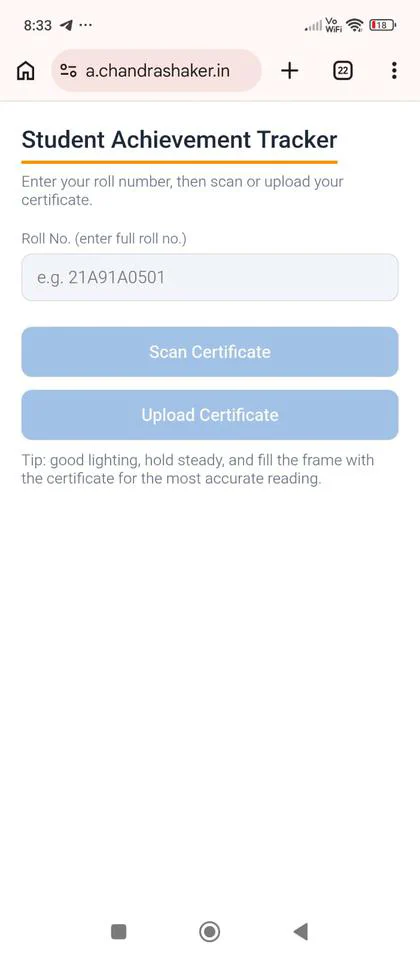
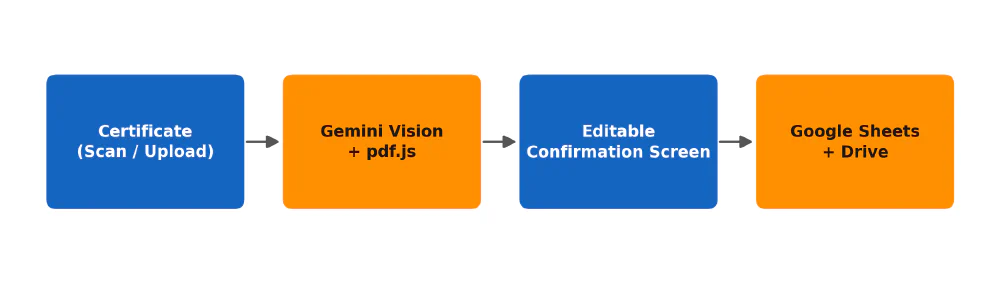
Student scans or uploads a certificate, a manual crop step lets them tighten the frame first, Gemini extracts the fields, an editable confirmation screen shows what it read, the student reviews and submits, and a row lands in a 10-column sheet: Roll No., Name, Certificate Type, Certificate Category, Position/Rank, Event/Course/Activity, Issuing Body, Date, File Link, Timestamp.
Two fields got deliberate rules, not just whatever the model felt like returning:
- Certificate Type allows free text beyond the fixed set (Participation/Appreciation/Merit) - whatever follows “Certificate of ___” gets stored as written.
- Position/Rank is left blank unless a rank is explicitly printed on the certificate, never inferred, even when the Type comes back “Merit.” A blank field is honest. A confidently wrong “Winner” is a data-integrity bug wearing a UI’s clothes.
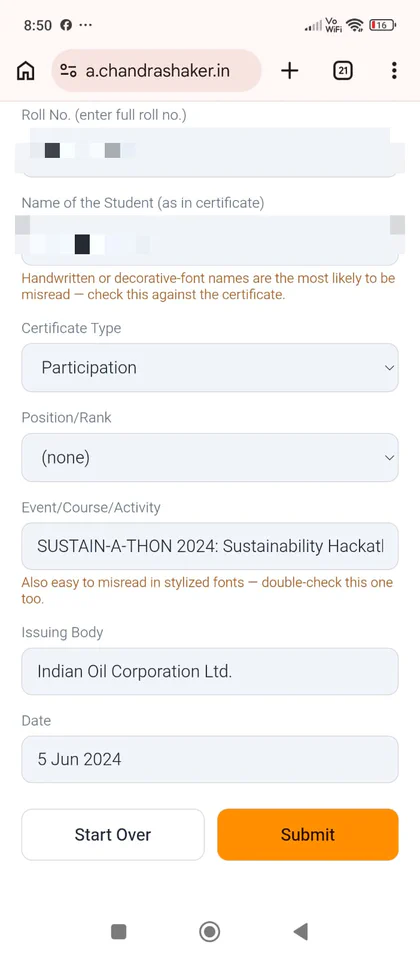
That confirmation screen is doing more work than it looks like. Extraction is good, not perfect - the review step is what keeps the sheet trustworthy.
Why no login system
Building a full authentication layer, accounts, passwords, session handling, would have been solving a problem the tracker didn’t actually have. The one identifier that matters here is a student’s own roll number, so that’s the only gate: entered fresh on every submission, no account to create, no password to reset, no session to expire.
The trade-off is real. There’s no way for a student to look back at their own submission history, and nothing technically stops someone from typing in a roll number that isn’t theirs. For a one-way form that a faculty member reviews against a Google Sheet anyway, that’s a risk worth taking. It wouldn’t be for anything handling payments or private records.
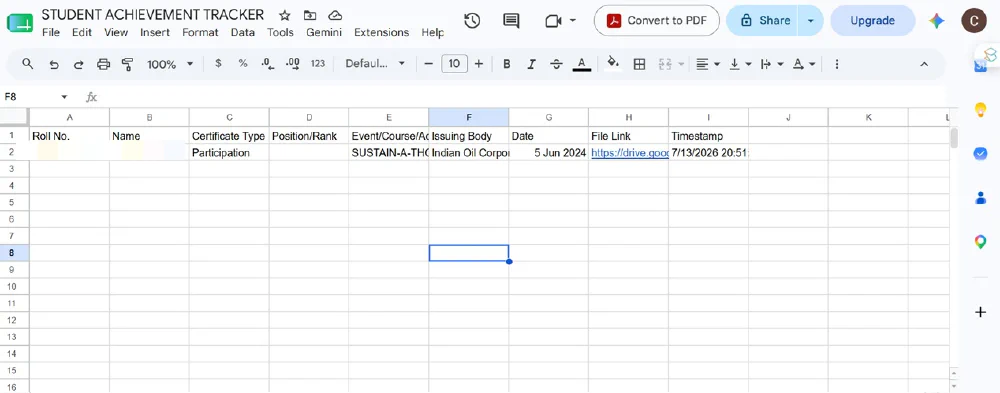
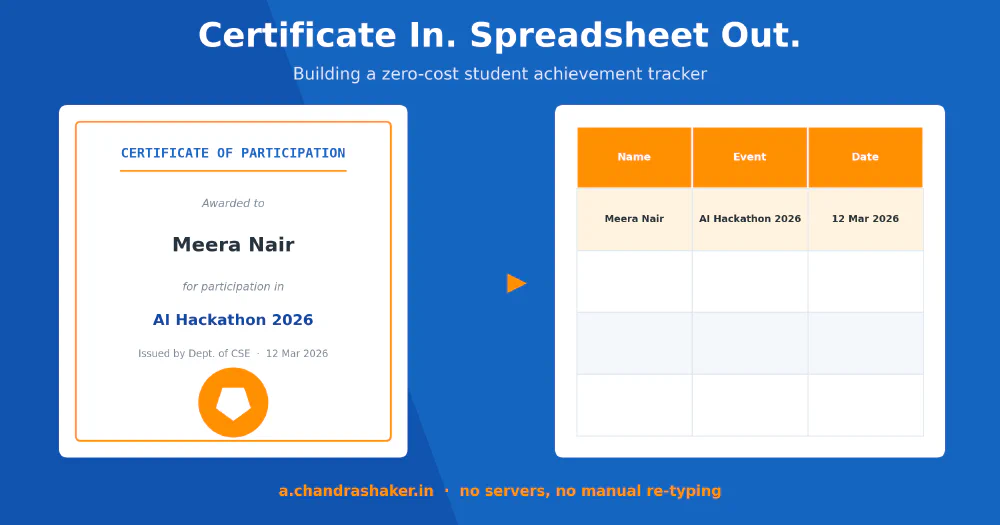
This is what “no manual re-typing” actually looks like: one row, every column filled, no month-long backlog behind it.
Try it: a.chandrashaker.in. More dev logs from the apps.chandrashaker.in app portfolio coming soon, including the Exam Marks Tracker build.